Every day, more AI tools get added to the market. All of them are promising speed, efficiency, and improved productivity. But where are creators actually seeing the most use out of these tools? And are they seeing those promised benefits?
To find out, Storyblocks surveyed over 700 of our members, from individual creators to businesses. We wanted to learn more about how they’re using AI and generative AI with video creation, how they feel about AI, the benefits they’re seeing, and more.
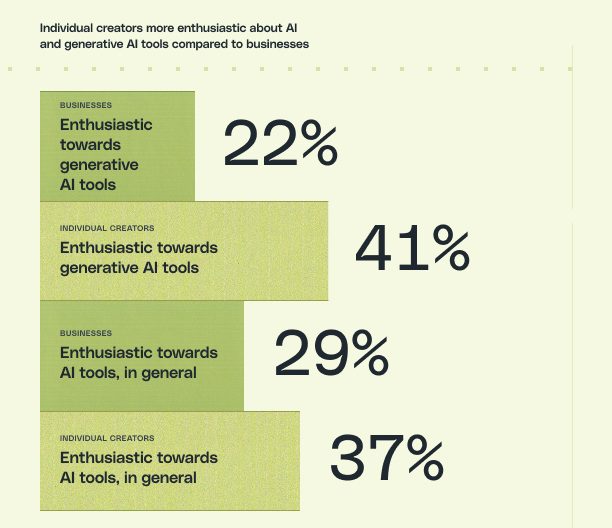
What we discovered was surprising. The majority said that they only see AI handling 0-25% of the video creation process, and there was a significant gap in enthusiasm between individual creators and businesses when it came to AI and generative AI tools. You can explore more of our findings in Authenticity in the Age of Generative AI, a report that dives deep into how creators, marketers, and brands are actually using generative AI tools for video–and how audiences are responding.
The top 3 ways creators are using AI for video
Even though their enthusiasm for these tools isn’t the same, both businesses and individual creators are using them in very similar ways. Below are the top 3 ways that creators say they’re using AI tools in their video workflow.
1. Idea generation
63% of businesses and 66% of individual creators say they use AI tools for idea generation. Brainstorming and coming up with concepts being at the number one spot probably isn’t a big surprise. After all, it’s the 6th most common use case for the majority of people when it comes to GenAI.
Figuring out where to start can be the hardest part of creative work. With so many possibilities and avenues your work can take, having an AI chatbot like ChatGPT or Claude to help you brainstorm at any time of day is a valuable resource.
As one individual creator explained in their survey response, “When I’m stuck or have an idea that hasn’t fully developed, I use AI to assist with developing or shaping the idea to get me back in my workflow.”
Even if you don’t end up using the exact ideas that AI gives you, just reading through those ideas could spark something for you. And that’s how you can effectively use AI to help support your own creativity – build off of the ideas instead of just copying and pasting.
2. Streamlining edits and revisions
Coming in right behind idea generation, 61% of businesses and 62% of individual creators say they use AI tools for editing and refining content. This includes a lot of AI features included in popular editors like Premiere Pro and DaVinci Resolve. Another is Storyblocks’ AI Video Editing tool, which also helps creators quickly edit and refine any footage clip in our library.
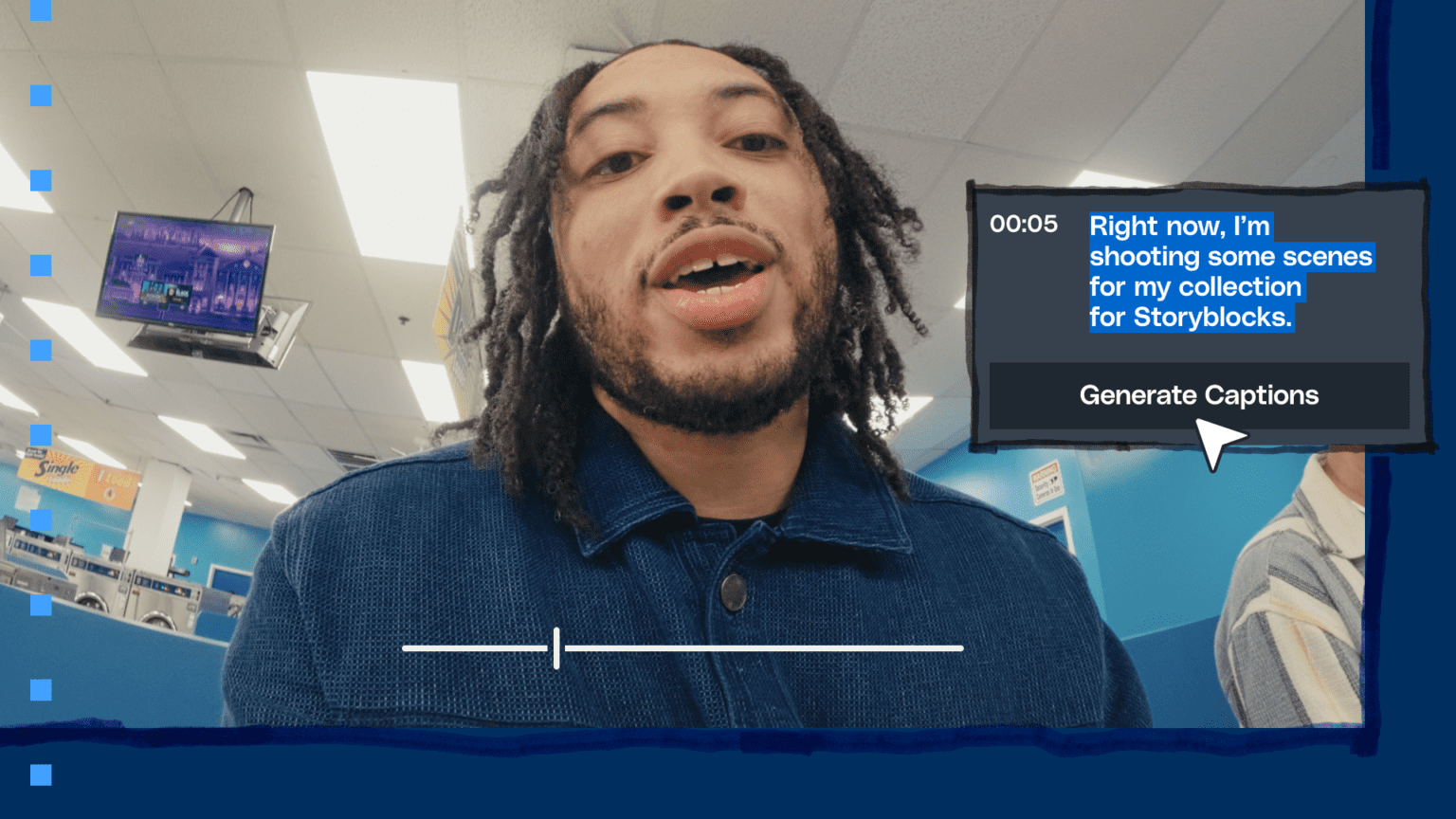
A big one is text-based editing, an AI-powered tool you can find in Premiere Pro. Instead of watching your footage all the way through to make cuts or edits, you can auto-generate your transcript and edit that to make changes to your timeline. It cuts down the tedious task of manual edits, so you can focus on the flow, narrative, and story of your video through zeroing in on the dialogue.
“In my first editing job, one of my main tasks was creating selects of the interview based on what the director of the film wanted. Now, you can do all of that in one step,” says Rachel Kisela, a freelance video editor. “You can have the transcript automatically generated in Premiere, and just by deleting words in the transcript, it’s making cuts in the video editing timeline.”
Beyond that, there’s AI-based masking and tracking tools, which make removing or adding in objects from a scene a breeze, auto-generating or translating transcripts or subtitles, audio processing, and more. Every time a video editing software gets an update, more AI-powered tools are added.
“I’m mainly on the AI side, with slight use of GenAI here and there for small things. But the amount of time I save letting Adobe and my computer do work is nuts. Scene edit detection cuts the whole video so I can go in and delete everything [I don’t need] and tweak the cut points just a bit.” – Survey response from an anonymous business
3. Speeding up pre-production tasks
While the majority of responses fell into the first two categories, the next highest responses were drafting and planning content.
52% of individual creators and 42% of businesses say drafting content is a top use for AI tools. This extends to creating scripts, video titles, briefs, and more. This response saw the biggest divide between the two audiences. And that’s due to issues with the accuracy, reliability, or consistency of AI-generated results that 76% of businesses cited as their main pain point when using AI tools.
“I have to fact-check and proofread everything an AI tool outputs, so time savings are marginal.” – Survey response from an anonymous business
For content planning, 32% of individual creators and 27% of businesses say they use AI tools. This can include things like building out a production schedule, creating storyboards, mood boards, and more. For more administrative tasks like budgets, schedules, and timelines, AI can be a great way to save smaller teams time to let them focus on creative work.
“AI is something that complements creativity by removing tedious tasks. The less time you spend on those, the more you can focus on actual creative execution. That’s where AI shines—it frees you up to do your best work.” – Sam Balter, Head of Content at Wistia
Download the report to learn more about how creators are using generative AI with video creation
These learnings are just the tip of the iceberg when it comes to what we uncover in the Authenticity in the Age of Generative AI report.
We go beyond these use cases to explore why some creators are opting out of AI entirely, how audiences are responding to AI use in video, and best practices for navigating AI and generative AI use in your video creation process. Read the report for free today to get all the exclusive insights!