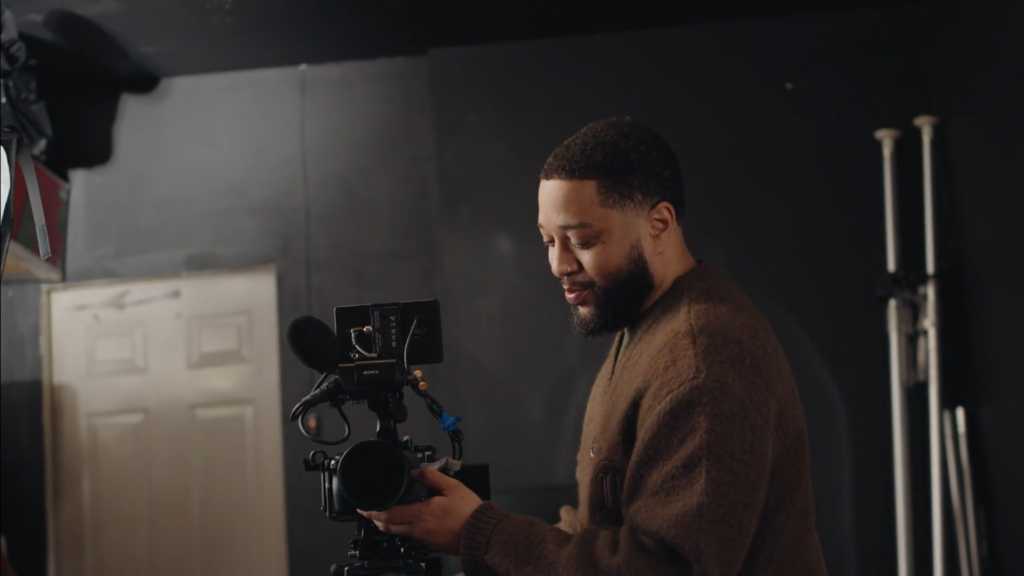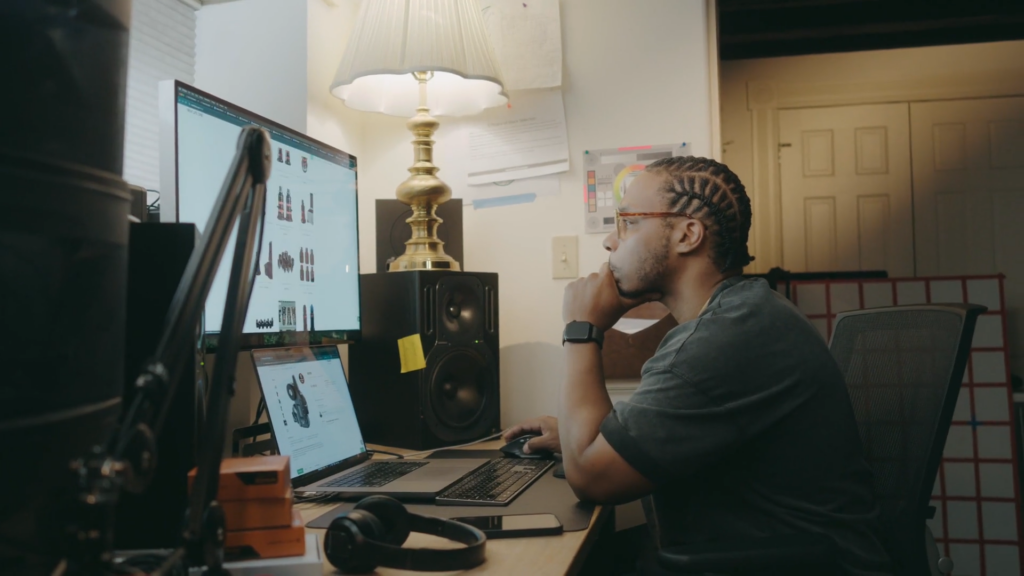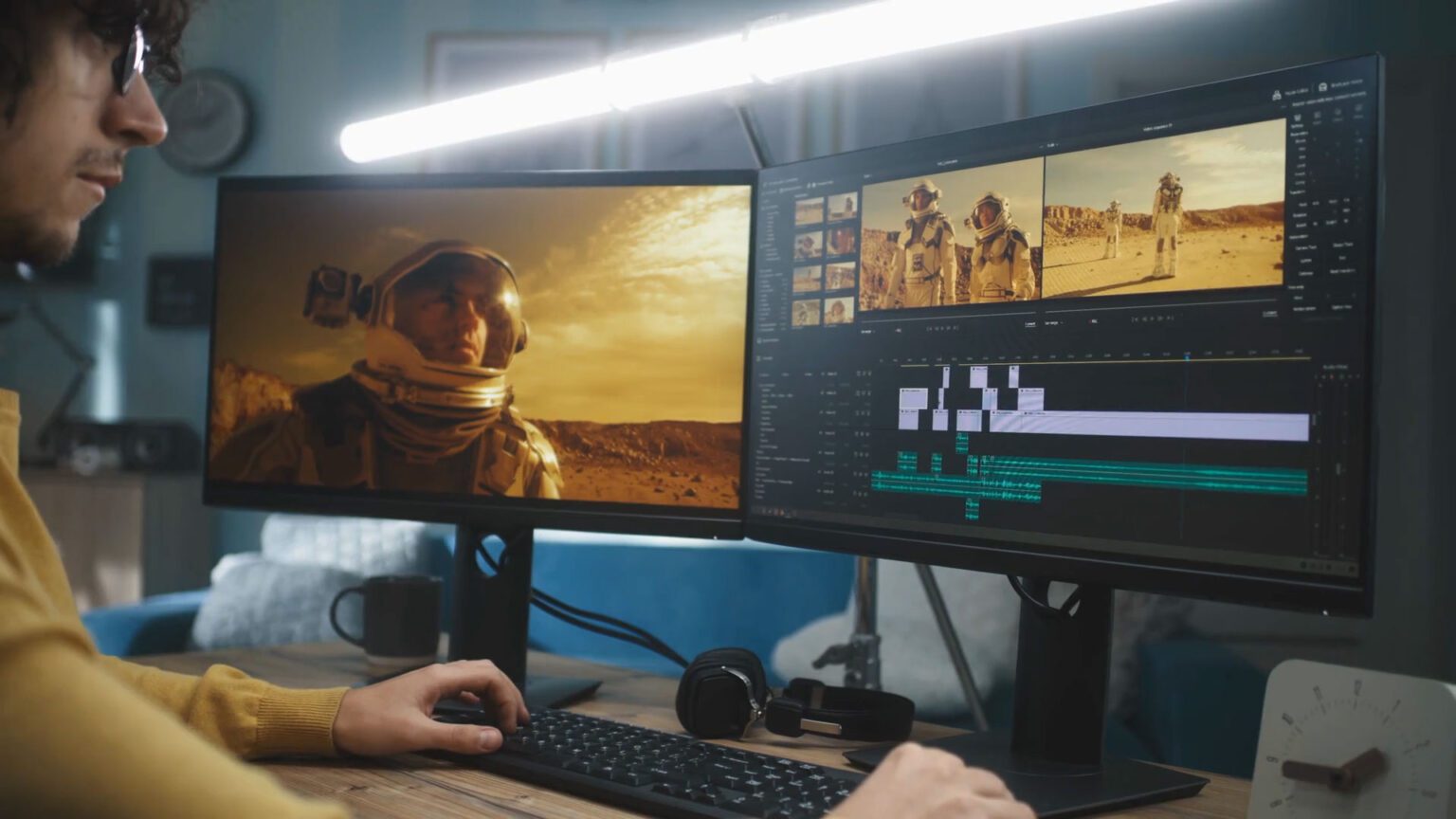
Spend enough time in editing bays or behind the camera and a whole new language of video making emerges. Video editing has its own set of words, like a secret code, that can feel tricky to crack no matter how skilled the editor. Knowing these terms unlocks smoother work and sharper videos, so diving into this lingo can turn confusion into confidence. This journey benefits anyone wanting to tell stories through film or digital clips, offering tips that many don’t know. Keep reading to discover the key to mastering the art hidden in those editing rooms.
That’s why we’ve compiled more than 100 of the most common video editing terms in film. Whether you’re new to creating videos or an experienced videographer, we recommend using this video editing glossary as a reference to help make sense of it all.
Video editing terms #-G:
#
2-pop
2-pop is a 1 kHz tone placed two seconds before the start of a video. They help synchronize the sound and picture.
2-beep
2-beep is another word for 2-pop. This 1 kHz tone occurs two seconds before the video begins and helps video editors sync all the tracks.
3:2 pulldown
A 3:2 pulldown is the process of converting a film from 24 frames per second to 30 frames per second to fit the NTSC television standard.
A
A-roll
The a-roll is the main source of audio and video and typically focuses on the primary characters or subjects.
Action safe area
The action safe area is the outer edge of visibility on a TV. Some news stations use it to display border graphics or tickers.
Aerial shot
An aerial shot captures footage from high in the air, using drones or helicopters to film sweeping views. Also known as a “drone shot”.
Alpha channel
An alpha channel adds a transparency map to your video footage. This allows you to adjust the transparency levels for different areas of your video so that you can create a specific look or effect.
Ambient sound
Ambient sound is any noise that exists in an environment. For example, a car driving by or a bird chirping while recording a video.
Aspect ratio
The aspect ratio is the height and width of your video expressed as a ratio. Common aspect ratios include 16:9, 4:3, and 1.85:1.
Assembly
The assembly is a film’s first rough cut. The editor then arranges the footage in order, using the script as a guide.
Audio ducking
Ducking lowers the volume of one audio track to ensure another track stands out. In interviews, for example, editors often use audio ducking to drop the background music levels when a person starts speaking.
Automatic dialog replacement (ADR)
Automated dialogue replacement involves actors re-recording their lines in a sound studio. Audio editors blend this new audio into the video to replace poor-quality sound recorded on set.
B
B-roll
B-roll is any secondary footage that helps add detail and smooth out transitions between scenes. This could include establishing shots, stock footage, atmospheric shots, or undirected footage of background people.
Bit rate
The bit rate is the amount of data used in each second of video. Bit rate is typically measured in megabits (Mbps) for video and kilobits per second (kbps) for audio.
BITC (Burnt-in timecode)
A burnt-in timecode (BITC) is an on-screen timecode superimposed over the video image. Editors usually use it to identify individual frames of a video during the rough cut phase.
Bump tease
As a video transitions into a break, a bump tease entices the viewer to keep watching. A bump tease is usually a voiceover with a quick hint of what is going to happen next.
Bumper
A bumper is a short voiceover or musical interlude used during transitions, intros, and outros of broadcast shows. For example, “We’ll be right back after a quick message from our sponsors.”
Burn down
A burndown tracks the remaining time or budget on a production project. Producers use burndown charts to ensure the post-production team meets their deadlines without overspending.
Burnt-in captions
Burnt-in captions, also called open captions, are a form of text captions that improve the accessibility of your video. These captions are “burnt in” to the video, so they are always there and cannot be turned off.
C
Call sheet
A call sheet contains the schedule for a shoot. They tell the producer, cast, and crew where they need to be and when to arrive.
Channels
In video editing, channels refer to separate audio files. These channels are either mixed together or used separately.
Chroma key
Chroma key is a video editing technique that removes one distinct color from a scene to replace it with something else, usually visual effects. This is usually done with blue or green screens.
Clean plate
In video editing terms, a clean plate is a video clip or still image that includes the background of a shot without the subjects.
Clip
A clip is a short section of a video.
Close-up
A close-up is a video shot where a subject fills most or all of the frame. For instance, a close-up could be of person’s face or a still object.
Download this close-up video
Closed captions
Closed captions display spoken words and sound effects as text on the screen for accessibility purposes. Unlike open or burnt-in video captions, viewers can turn off closed captions through their media player.
Codec
A codec is a piece of software that speeds up the transfer of multimedia files by compressing and decompressing data.
Cold open
In television and film, cold opens jump directly into the narrative before a title screen or opening credits. For example, the comedy show Saturday Night Live always uses a cold open.
Color correction
The video editing term color correction is the process of fixing an image’s contrast, exposure, and balance so it looks more natural to the human eye.
Color grade
Color grading is tweaking an image’s colors to enhance the mood or alter its look stylistically. This could include changing a color image to black and white, or adjusting the color saturation to appear more vibrant.
Color temperature
Color temperature is the coolness or warmth of visible light, measured in Kelvin units. Cooler color temperatures are more blue or green hued, while warmer temperatures tend towards red or orange. The higher a light source’s Kelvin, the cooler its light will appear.
Compositing
The video editing term compositing is the process of combining multiple images or videos into one single visual.
Compression
Videos have a lot of data, which can translate to huge files. Compression shrinks the size of those files to reduce time spent uploading and downloading.
Conform
In post-production, the conform process increases the resolution of a low-resolution image or video.
Container
In video editing, a container is what holds all the audio, video, and other data together in a single file. They usually have extensions like .mp3, .avi, or .mov. It’s also called a wrapper.
Copy
Copy is a video editing term with multiple definitions. It can refer to reproducing an image or video. It can also apply to a specific version of a video, for example, a “master copy”. Copy can also refer to the visible text on the screen.
Countdown leader
A countdown leader is the visible numbers that tick down second by second at the start of a film. This was popularized in the era of physical film and projectors, and is sometimes used digitally for a retro effect.
Crop factor
A crop factor is the ratio of a camera’s sensor size to a traditional 35mm frame of film. Crop factor numbers typically range between 1.3-2.0.
Cross-cut
A cross-cut alternates between two or more scenes happening at the same time in different places. Editors use cross-cutting to build tension and show how different events connect to one another.
Cutaway
A cutaway interrupts the main action by showing a related secondary subject. For instance, during a monologue, a cutaway might show character reactions or provide visual context of the setting.
Cut-in
A cut-in is a type of shot that shows what the main subject is interacting with. For example, if a character is playing the guitar, a cut-in might show their hands strumming the strings.
D
Data rate
A data rate is the amount of data contained in each second of a video. It’s also called the bit rate.
Depth of field (DOF)
Depth of field refers to the part of an image that is in focus. You could have just the subjects or foreground in focus, while the background is out of focus.
Diegetic sound
Diegetic sound comes from a physical source within the video’s environment. If a character turns on a radio on screen and both the characters and audience hear the music, that constitutes a diegetic sound.
Diffusion
Diffusion is placing fabric or other materials over light sources so that harsh shadows are reduced and the light is filtered.
Dissolve
Dissolve is a transition effect where one image or video clip gradually fades out as another fades in.
Dolly
A dolly is a piece of film equipment used to stabilize camera movements.
Dutch angle
Also known as “dutch tilt”, this is where you tilt the camera so the horizon line sits on a slant.
E
Establishing shot
An establishing shot shows the location of a scene before the main action begins, giving the audience an introduction to the setting, time of day, and so on.
Exporting
Exporting is the process of saving a video file in a new format so it can be transferred or used in a different editing program.
Exposure
In video editing, exposure is how bright or dark your footage is. A bright video has high exposure, while a video has low exposure. When referring to cameras, the exposure is the amount of light that hits the sensor, which you can adjust via the aperture, shutter speed, and ISO.
Eyeline match
An eyeline match connects a shot of a character looking at something to a shot of what they see. Editors cut these two shots together so the audience experiences the scene from the character’s perspective.
F
Focal-stop (F-stop)
Focal-stop or f-stop refers to the opening of a camera’s lens, also called the aperture. It determines how much light is able to pass through a lens at different shutter speeds.
Fade
A fade is a visual effect where an image or video clip gradually fades out to a black screen. This can also be used as a fade in from a black screen.
Finishing
Finishing is the final stage of the video editing process. It takes the final edit and transforms it into the version an audience will see.
Foley
Foley is the post-production process of creating or reproducing sound effects for a video or film to enhance their quality. These sound effects are created by dedicated Foley artists.
Footage
Footage is the shorthand video editing term for original, unedited video files.
FPS (frames per second)
Videos play one frame at a time. When seen in rapid succession, these frames create the illusion of motion (hence, “motion picture”). The number of images displayed per second of film is called frames per second or FPS. The standard frame rate across movies, TV, and streaming content is 24fps.
Frame Rate
Frame rate is another term for frames per second.
Framing
Framing is the placement of subjects in a shot.
Freeze frame
A freeze frame is when a video stops on a single image. Common in comedies, it can emphasize a dramatic moment or give a narrator time to explain the situation. Find out how to create a freeze frame in Adobe Premiere Pro and DaVinci Resolve.
G
Gain
Gain amplifies the audio signal in a microphone. Increasing the gain makes the sound recorded louder, but can add a hiss if pushed too far.
Garbage matte
A rough version of a matte that is often hand-drawn or quickly made is called a garbage matte. Garbage mattes are used to identify the area around an image to be hidden from view and are commonly used in conjunction with chroma keying.
GIF
A GIF is a short, looping animation created from a short image sequence. Due to their tiny file size, GIFs are often used to express reactions or make jokes—especially in YouTube and social media videos.
Video editing terms H-P:
H
Handles
Also known as head material and tail material, handles are extra footage before a clip’s in-point and after the out-point. They’re typically used to give editors extra frames to add transition effects or extend a clip that is too short.
High dynamic range (HDR)
HDR is a technology that gives your brightness and colors a much higher range within your video. Cameras capture HDR images by taking multiple shots at different exposures then blending them together. The result is that you accurately capture image data from the darkest and brightest areas simultaneously, leading to a more lifelike shot.
High-Definition Media Interface (HDMI)
High-Definition Media Interface is a connector—usually a cable—that carries HD video and audio to a monitor.
Hot shoe
A hot shoe is a cleat for mounting microphones or flashes on top of a camera.
I
Importing
Importing is the process of converting a file into the format needed for the program you are using.
Ingest
Ingest is bringing new software elements into a workshop or production.
Interactive video
Interactive video brings viewers into the action by allowing them to select different options.
Interlacing
Interlacing is a technique to increase the perceived frame rate without using more bandwidth. It divides an image into odd and even pixel rows. One frame will show the odd rows, while the next frame will show the even rows. This is imperceptible to the human eye.
ISO
ISO is a digital camera setting that determines how sensitive the sensor is to light. A low ISO setting is better for shooting during daylight, while a high ISO setting is better for darker conditions.
J
J-cut (jump cut)
A j-cut or jump cut is a sudden transition from one scene to the next that does not show how the subject got from one spot to another. For example, in one scene a character might be eating a meal and then in the next scene, they are driving their car.
K
Ken Burns effect
This technique is named after famed documentarian Ken Burns, who uses it liberally in his work. The Ken Burns effect pans and zooms on a static image to give the impression of motion or to focus attention.
Key (keying)
Keying is the process of digitally removing certain elements from a scene and replacing them with something else.
L
L-Cut
An L-cut is a transition where the audio from the previous scene carries over into the next.
Lapel
A lapel is a small microphone, usually clipped onto someone’s clothing within a foot of their mouth.
Layering
Layering is when you stack multiple pieces of media in a video editing timeline so that they play at the same time.
Letterboxing
Letterboxing is playing a 16:9 aspect ratio video on a 4:3 screen, requiring black bars above and below the video. This helps your footage fit the frame without having to stretch or crop it.
Linear video editing
The process of editing images, video, and sound in sequential order is linear video editing. Before the early 1990s, this process was just called video editing. See also: continuity editing.
Long-form video
Any video footage that specifically runs for longer than 5 minutes is considered long-form video.
Loop
A loop plays a video or audio clip continuously from start to finish, over and over again without stopping.
Lower third
Lower third refers to the Rule of Thirds, where you visually divide an image into three equal horizontal sections. The bottom section is the lower third. It’s frequently used to display chyron text and other visual elements in YouTube videos and news broadcasts.
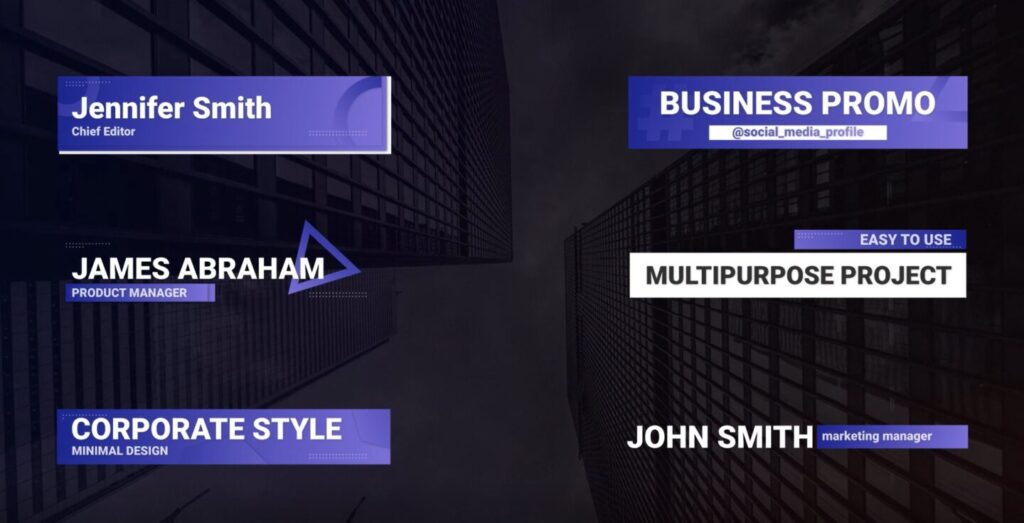
Download Lower Thirds Business After Effects
Luma
Luma is the white value of a visual element.
LUT
A LUT or look-up table applies a saved color grade to your video footage. Expert colorists uses LUTs to give their projects a specific look without manually editing every scene.
M
Macro
Macro refers to a type of camera lens with a long barrel. Filmmakers generally use macro lenses for close focusing.
Master file
The master file is the highest-quality version of an exported video project. Often the master file is archived, while smaller, compressed versions are exported for distribution and broadcast.
Match cut
A cut that connects visual elements between scenes is called a match cut. For example, focusing on a circular shape in one scene and transitioning to another circular shape in the next.
Matte
A matte is used in video editing to combine two or more elements into one final image. For example, unifying a background image with subjects in the foreground.
Memory bank
A memory bank is a computer component that stores data.
Mid-stream ads
Advertisements that appear within a web video that are not part of the selected media are mid-stream ads.
Mono audio
Mono audio has only one channel, as opposed to stereo audio with two channels.
Monopod
A type of camera stand with a single leg.
Montage
A montage links a series of short clips or images together. Editors often use montages to show the passage of time over a short period.
Motion graphics
Motion graphics is another term for animation. They’re a great way to add a pop of visual interest to your video, giving still images a sense of motion.
Download this motion graphic
Download this motion graphic
MOV
MOV is a video format and a type of video container that’s usually encoded with the MPEG-4 codec. MOV files are primarily associated with QuickTime, and is also known as the QuickTime File Format.
Multichannel audio
Multichannel audio, or surround sound, uses more than 2 independent audio channels. Sending certain sounds to specific speakers can create a more immersive audio environment.
N
Narration
Narration is spoken audio, usually from an unseen host, that sets up or explains parts of a story.
Natural sound
Natural sound is any sound captured from the filming environment instead of reproduced in a studio using foley. Therefore, recording a rainstorm would be a natural sound, while using a rain stick would be a foley reproduction.
Noise (grain)
Noise looks like specks of light or color in images. It’s particularly common when shooting in low light and is caused by the camera’s sensor amplifying its own electrical signals rather than real color data.
Non-linear editing (NLE)
Non-linear editing is when an editor works on a project in their preferred order, without concern for the video’s linear timeline.
O
Offline
Offline is the very first stage of the video editing process. During offline, the editor chooses the footage, sounds, and shots they will edit together.
Online
The second stage of the video editing process is called online. This is when editors perform sound mixing, color grading, and add any final graphics and transitions.
Overwrite
An editing process where a selected clip replaces frames in a video timeline.
P
PAL
Short for Phase Alternate Line, PAL is an automated color encoding system with an aspect ratio of 720×576 and a frame rate of 25 fps. The PAL format is the broadcast standard for Europe, most of Asia, Africa, and parts of South America.
Pans
Pans are horizontal camera movements.
Picture lock
Picture lock is the phase of editing where the length and order of the shots can no longer be changed.
Pixel aspect ratio
The pixel aspect ratio is the comparison of the height and width of a single pixel in a digital image, expressed as a ratio.
Plate
A plate is a clean background shot filmed without the main subjects. VFX artists use plates to composite green screen footage or CGI elements into a realistic environment.
Post-production
Post-production is a film editing term you’re bound to hear frequently – it refers to all stages of production after the video footage is recorded, including editing, music, and special effects.
Download Cinematic Whoosh to Sub Drop
POV shot
A POV or “point of view” shot shows the action as a character would see it, through their eyes.
Pre-production
Pre-production is the phase which includes all planning steps required before beginning to film. For example, writing scripts, creating storyboards, hiring crew, and scouting locations. There are several pre-production tools you can use to streamline this process.
Proxy
A proxy is a low-resolution copy of a video file.
Pull-up
The process of speeding up video and audio files. When you need to raise the frame rate, you “pull up” the video to add extra frames and match the footage to the project’s frame rate.
Video editing terms R-Z:
R
Rack focus
Rack focus shifts the camera’s focus from one subject to another within a continuous shot. Filmmakers use this technique to direct the audience’s attention to a detail or to another character during a conversation.
Radio edit
A radio edit is a method of video editing that starts with the audio. Everything else, like graphics, b-roll, and images are added later.
Rendering
Rendering combines all clips together to create a single video.
Resolution
Resolution is the number of vertical and horizontal pixels in a video. High-definition video has a resolution of 1920×1080 pixels, while standard definition video is only 640×480.
Rights
Rights, also known as copyright, is the term for who owns a piece of media and who is allowed to use it.
Roll
Roll is another one of those video editing terms with throwback origins. The term is derived from analog rolls of film. However, in the digital video era, roll refers to memory cards or specific types of footage, such as a-roll or b-roll.
Room tone
Room tone is the ambient background sound of an empty filming location. Audio editors capture this sound and layer it beneath recorded dialog to prevent distracting silences and artifacts that arise during the editing process. Learn more about room tone and discover crucial audio editing tips that’ll help you take your sound design to the next level.
Rotoscoping
Rotoscoping is the painstaking process of manually altering video footage a single frame at a time. It’s considered a type of VFX and used to remove unwanted subjects, or create realistic animation effects by tracing over film footage.
Rough cut
A rough cut is the version of a video or film after the first editing round.
Rule of Thirds
The Rule of Thirds invisibly divides an image into 9 equal sections with two horizontal and two vertical lines, similar to a tic-tac-toe layout. This rule is used because the human eye is naturally drawn to the point where the lines intersect. In fact, in filmmaking, the Rule of Thirds is used to align subjects in a shot in a more aesthetically pleasing way.
S
Saturation
Saturation is the intensity of a color.
Standard dynamic range (SDR)
SDR is the traditional limits of color and brightness in older video displays. It has less contrast and fewer color variations compared to newer HDR formats.
Selects
Selects is the video editing terminology for any collection of chosen clips combined into a timeline. What editors call “selects clips” are typically picked from the best footage you’ve got. Selects are used to highlight characters, locations, or moods.
SFX (sound effects)
SFX is shorthand for sound effects. Sound effects are audio files added in post-production to enhance the action of a scene.
Download Cinematic Whoosh to Sub Drop
Short-form video
Any finished video shorter than 5 minutes in length is considered a short-form video. Most online video content is made up of short-form videos.
Shot
A shot is a continuous sequence of video footage captured between cuts or edits. One section of footage can contain multiple shots if the camera shoots continuously while reframing.
Shot list
A shot list is a compilation of all the shots a filmmaker wants in a production.
Sizzle reel
A sizzle reel is a collection of edited footage that showcases the highlights of a production.
Slate
Slate is a term for the production clapperboard or anything else that shows important information like take number, scene number, etc.
Slide
A slide is a tool in video editing software that lets you move a clip to the right or left within a timeline while also trimming the clips on either side.
Slip
A slip is a video editing tool that lets you simultaneously adjust the in and out points of a clip. This ensures the time between the two points remains the same.
Slug
Slug refers to a piece of empty black footage or blank audio.
Smash cut
A smash cut is a sudden, dramatic cut from one scene to another. Smash cuts usually happen unexpectedly and present a stark contrast between scenes. They’re often accompanied by dramatic shifts in tone.
Sound mix
A sound mix is any audio that’s been professionally edited and properly balanced.
Split screen
A split screen is when two or more images appear on the screen side by side. Typically the screen is divided in half, but a split screen can also show multiple subjects at once.
Standards conversion
Standards conversion is the process of adjusting a media file from its original frame rate so it can be played at a different frame rate.
Stems
Stems are groups of audio files that an editor blends together to create a single media file.
Stereo
Stereo refers to audio files with both left and right channels.
Sting
A sting, also called a stinger, is a short piece of music or collection of sounds. Usually around 5 or 6 seconds in length, stingers are useful for separating scenes. For instance, sitcoms frequently use stingers. The iconic bass riff used in Seinfeld is an example you may recognize.
Download Cinematic Whoosh to Sub Drop
Download Glitch Morphing Epic Impact 3
Storyboard
A storyboard is a collection of drawings or illustrations used to represent scenes in a production. A director will organize these based on how they want the final production to look. And, you can find our team’s favorite storyboard template in our Ultimate Video Marketing Toolkit.
Stringout
Laying out all footage chronologically and syncing it with audio is a stringout. If there are multiple camera shots, these are stacked within the timeline.
Sync (synchronization)
To sync something in video editing, you combine video and audio files so they precisely align on screen.
Sync Cut
A sync cut is an early edit that only includes dialogue footage.
T
Take
A take is a continuous performance recorded in a single sequence. And multiple takes may be recorded in the same piece of footage.
Talking head
Talking head is a video editing techniques that refers to a type of video where most of the action is a person talking to the camera. For example, a talking head video could be a news broadcast or interview format video.
Teaser
A teaser is a type of video used to generate excitement for an upcoming production or event. This will give viewers a simple overview of what to expect while attempting to pique their interest.
Three-point lighting
Three-point lighting eliminates most shadows to improve a production’s lighting balance. These three lights are usually called key, fill, and backlights.
Thumbnail
A video thumbnail is a static cover image that represents a video on platforms like YouTube. Creators try to design the most eye-catching thumbnail possible in order to encourage viewers to watch their content.
Tilts
Tilts are vertical camera movements from a fixed, central location like a tripod.
Timecode
A timecode is the exact timing of a specific frame in a video clip that’s measured in hours, minutes, seconds, and frames.
Timelapse
A timelapse is a filming technique where frames are captured at a significantly slower rate than usual. Then, when played back at normal speeds, time seems to go by more quickly. Timelapses are frequently used to visualize things that occur slowly, like a balloon inflating or a flower blooming, in less time.
Download Night View of Times Square With Cars and People Walking by Time Lapse
Title safe
Title safe is the area in a video frame where text won’t get cut off when viewed on a specific type of device, like a TV or smartphone.
Tracking
Tracking refers to a type of camera movement that follows the motion of one or more subjects in frame. Editors also use tracking tools to attach effects to moving parts of the image—like text or blurred faces and numberplates—so that these elements follow the subject around the frame.
Transcode
Transcoding refers to the process of decoding, reformatting, and re-encoding a video file from one code or format to another.
Transcribing
Transcribing is the process of creating a text translation of your video’s audio track.
Transcript
A transcript is a document where audio dialogue is written down in a text format. Usually these are done by hand or through automated software.
Tripod
A tripod is a camera stand with three legs.
TRT
TRT stands for total run time and is the final length of a video or film.
V
Vertical video
A vertical video has a tall aspect ratio—usually 9:16. Vertical videos are designed for mobile devices and are common on platforms like TikTok, Shorts, and Instagram Reels.
Take a look at the diverse vertical stock footage on the Storyblocks library to see what’s possible with this kind of shot.
VFR (variable frame rate)
Variable frame rates are those which fluctuate within a single piece of footage. Unfortunately, this can happen with videos when they’re recorded on smartphones if the video editing software doesn’t handle the file well.
Video SEO
Video SEO stands for “video search engine optimization.” It’s the process of optimizing a video to boost its search engine ranking.
Viewfinder
A viewfinder is the small lens you look through on a camera to see what will be in your shot.
Viral video
A viral video is an online video that quickly receives a lot of attention and shares, usually on social media.
Vision mixing
Vision mixing is the video editing term for the process of combining live shots from multiple sources into a single video for a live feed.
Vlog
A vlog is a portmanteau of video and blog. Instead of writing out blog posts, the creator records their thoughts and content in video form.
Voiceover
A voiceover is any kind of spoken dialogue from an unseen narrator.
W
White balance
White balance is the process of adjusting a camera’s color sensitivity based on the type of light you are using so that the whites are truly white. Subsequently, using an improper white balance may make them look yellowish, greenish, or some other color.
Wide angle
A wide angle is any video that’s filmed with a lens between 35mm and 24mm. These types of lenses have a short focal length and record more of the subject area than other lenses. Specifically, you can use wide angles for establishing shots, or to create a deliberately distorted effect.
Wipe
A wipe is a type of transition where the edge of a new scene slides into place across and overtop of the original image.
Z
Zoom lens
A zoom lens is an adjustable lens filmmakers, videographers, or photographers use to get closer or further away from a subject without moving the camera.
Zoom shot
For a zoom shot, adjust the lens of the camera while the camera stays still. This has the effect of making the subject look larger in the frame.
Take video creation to the next level with Storyblocks
Now that you’ve got all of this new video editing vocabulary under your belt, you’re ready to put some of it to use. Video production requires clear communication, and understanding common terms is an important part of sharpening your skills.
As a video creator, there’s lots you can learn beyond just technical lingo. But at the end of the day, what matters most is your ideas and the videos you want to create. All you’re missing is the time and resources to film them yourself.
Storyblocks offers a 100% human-made stock library with over 7 million assets, including video, audio, and images, leveling the playing field for all creators. With one subscription, you can get unlimited downloads of all of the royalty-free video files, templates, sound effects, and images you need in one place. On top of unlimited stock media, you also get access to time-saving tools for every part of production, including our Adobe plugin, AI Toolkit, and more.